




These seem to be created using AI - there is an Antigravity attribution / copyright. Such is life.
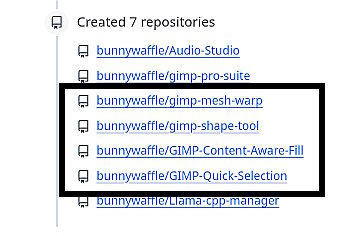
However, Gimp 3.2 users can try them out. Look here initially for what is available, there might be more in the future. https://github.com/bunnywaffle/ Look in the Repositories section and from there you can get to a github download.
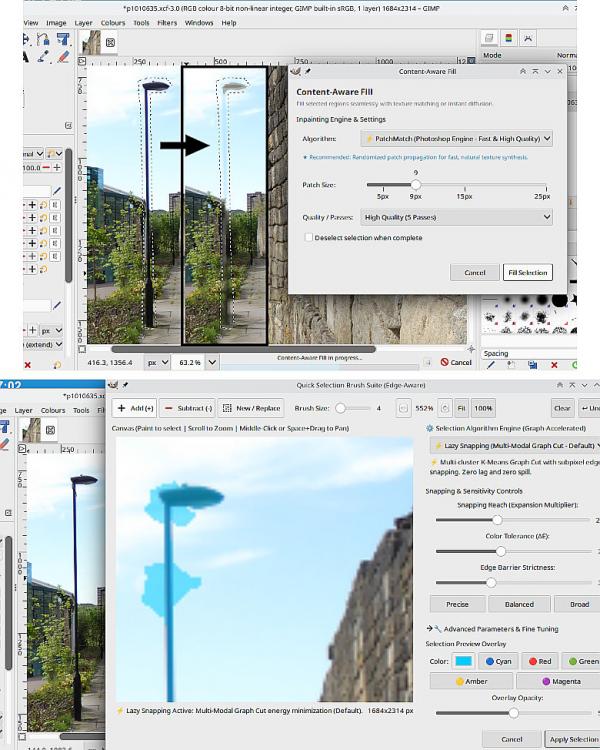
These are just my findings. I did spend a bit of time trying out options and settings but not working for the sort of images I use. Typically this, an urban scene, light pole to remove.
(1) Content-Aware-Fill, slow and leaves a "ghost" (resynthesizer still the best alternative)
Quick-Selection-Brush. A bit too easy to "bleed" the selection into the surrounding area. When does work, very nice selection.
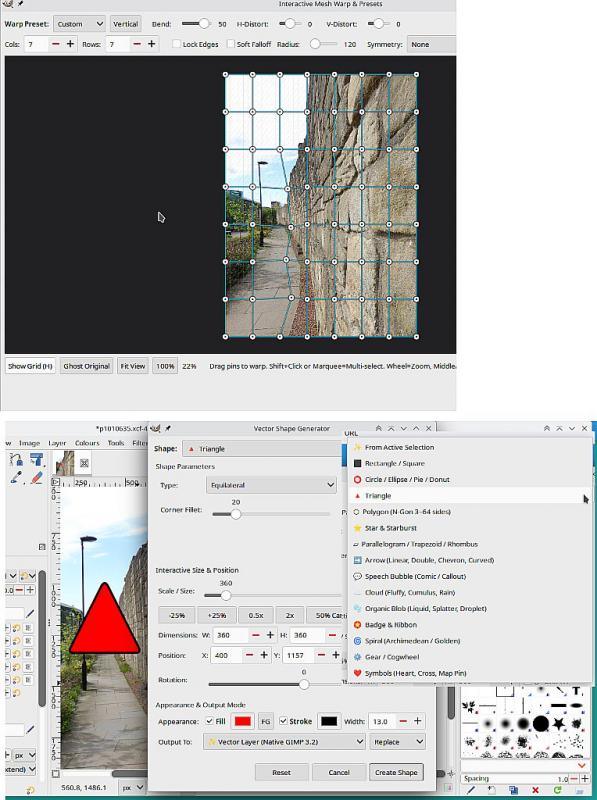
(2) Mesh Warp, much needed in standard Gimp. Brings up its own window. There is a drop-down of presets. (There is a gmic alternative)
Vector Shape Generator, Works ok, a little like a very much updated Gimp 2.8 / 2.10 path-shapes script.
However, Gimp 3.2 users can try them out. Look here initially for what is available, there might be more in the future. https://github.com/bunnywaffle/ Look in the Repositories section and from there you can get to a github download.
These are just my findings. I did spend a bit of time trying out options and settings but not working for the sort of images I use. Typically this, an urban scene, light pole to remove.
(1) Content-Aware-Fill, slow and leaves a "ghost" (resynthesizer still the best alternative)
Quick-Selection-Brush. A bit too easy to "bleed" the selection into the surrounding area. When does work, very nice selection.
(2) Mesh Warp, much needed in standard Gimp. Brings up its own window. There is a drop-down of presets. (There is a gmic alternative)
Vector Shape Generator, Works ok, a little like a very much updated Gimp 2.8 / 2.10 path-shapes script.