| Welcome, Guest |
You have to register before you can post on our site.
|
| Latest Threads |
Excellent Tutoriols for b...
Forum: Tutorials and tips
Last Post: rich2005
Yesterday, 08:30 AM
» Replies: 3
» Views: 312
|
Picture Frame Glass Effec...
Forum: General questions
Last Post: rich2005
Yesterday, 07:59 AM
» Replies: 4
» Views: 302
|
add links for one dot to ...
Forum: General questions
Last Post: saint_m
Yesterday, 07:44 AM
» Replies: 4
» Views: 293
|
GIMP for win xp 32 bit pr...
Forum: Older Gimp versions (2.8, 2.6....)
Last Post: MrsP-from-C
Yesterday, 07:18 AM
» Replies: 9
» Views: 444
|
imgur blocked
Forum: Watercooler
Last Post: R Soul
08-09-2026, 12:51 AM
» Replies: 5
» Views: 2,687
|
Layers
Forum: General questions
Last Post: TeckyWalla
08-08-2026, 09:07 PM
» Replies: 2
» Views: 239
|
fill bucket bug?
Forum: General questions
Last Post: rich2005
08-07-2026, 05:42 PM
» Replies: 1
» Views: 165
|
choosing between differen...
Forum: General questions
Last Post: saint_m
08-07-2026, 01:45 PM
» Replies: 2
» Views: 233
|
Is there a gimp plugin th...
Forum: Extending the GIMP
Last Post: rich2005
08-07-2026, 09:56 AM
» Replies: 8
» Views: 20,363
|
Scanning with Gimp on Win...
Forum: General questions
Last Post: rich2005
08-07-2026, 07:24 AM
» Replies: 5
» Views: 350
|
|
|
| Outline of a shape |
|
Posted by: Lucasuk - 12-08-2022, 11:43 AM - Forum: General questions
- Replies (4)
|
 |
Hi All
Is there way to take an outline of a shape then copy that so you just have the outline?
So example would be if you had a solid square, and you take a outline of that so you just have shape of the square. Hope that makes sense.
|

|
|
 Ubuntu 20.04 - Trying to add resynthesizer plugin
 |
|
Posted by: AlexH - 12-07-2022, 11:09 AM - Forum: Linux and other Unixen
- Replies (7)
|
|
Have downloaded GIMP 2.10.32 - added resynthesizer plugin without any problems
When i try to use it, however, I get this
An error occurred running python_fu_heal_selection
error: procedure not found
Traceback (most recent call last):
File "/app/lib/gimp/2.0/python/gimpfu.py", line 741, in response
dialog.res = run_script(params)
File "/app/lib/gimp/2.0/python/gimpfu.py", line 362, in run_script
return apply(function, params)
File "/home/alex/.gimp-2.8/plug-ins/plugin-heal-selection.py", line 148, in heal_selection
pdb.plug_in_resynthesizer(timg, tdrawable, 0,0, useBorder, work_drawable.ID, -1, -1, 0.0, 0.117, 16, 500)
error: procedure not found
the plug-ins directory contains these files
-rwxrwxrwx 1 alex alex 6595 Oct 17 2013 plugin-heal-selection.py
-rwxrwxrwx 1 alex alex 3153 Oct 17 2013 plugin-heal-transparency.py
-rwxrwxrwx 1 alex alex 17194 Oct 17 2013 plugin-map-style.py
-rwxrwxrwx 1 alex alex 7684 Oct 17 2013 plugin-render-texture.py
-rwxrwxrwx 1 alex alex 3303 Oct 17 2013 plugin-resynth-enlarge.py
-rwxrwxrwx 1 alex alex 3609 Oct 17 2013 plugin-resynth-fill-pattern.py
-rwxrwxrwx 1 alex alex 3262 Oct 17 2013 plugin-resynth-sharpen.py
-rwxrwxrwx 1 alex alex 6011 Oct 17 2013 plugin-uncrop.py
drwxrwxrwx 2 alex alex 4096 Oct 17 2013 win32
drwxrwxrwx 2 alex alex 4096 Oct 17 2013 win64
Any help would be helpful!
Regards
Alex
|
|
|
|
| Why does GIMP resize my image? |
|
Posted by: clarkleach - 12-06-2022, 08:13 PM - Forum: General questions
- Replies (1)
|
|
Why, when I drop an image into GIMP, does it instantly get resized? I know I'm probably doing something wrong.
I have an image that I want to rotate -45° and save without any further modification.
I want every pixel just as when it was loaded, just rotated.
|
|
|
|
| Deleting one layer from image |
|
Posted by: Art - 12-05-2022, 06:43 PM - Forum: General questions
- Replies (4)
|
|
I am really new at any kind of graphics programs. I am using gimp 2.10.32. I open as layers an image with .psd extension. Gimp converts the Color profile. The image contains 159 layers. About midway in the layers is one called text which puts some text on the image. I would like to eliminate that layer and leave all other layers intact. I have worked at this for a couple of days and haven’t seen how to do it.
|
|
|
|
| Batch mode not working, 'plug-in-script-fu-eval' is not available |
|
Posted by: LuukOV - 12-05-2022, 09:06 AM - Forum: Installation and usage
- Replies (2)
|
|
I had build a local docker environment running GIMP. However when I try to run a gimp batch command I get the following error:
GIMP-Warning: The batch interpreter 'plug-in-script-fu-eval' is not available. Batch mode disabled.
Any idea what might cause this? It works locally but when I deploy it I get this error.
the command I try to run:
gimp --batch-interpreter plug-in-script-fu-eval -i --verbose -d -f -b 'MY COMMAND'
my current dockerfile:
Code:
FROM debian:latest

RUN apt-get update

RUN apt-get install -y gimp --no-install-recommends

RUN apt-get install -y python

RUN rm -rf /var/lib/apt/lists/*

RUN apt-get update

RUN apt-get -qq install curl

RUN apt-get install -y aptitude

RUN curl -sL https://deb.nodesource.com/setup_lts.x | bash - && apt-get install -y nodejs && aptitude install -y npm

RUN apt-get update

# FROM node:lts

RUN mkdir -p /usr/src/app

WORKDIR /usr/src/app

COPY . .

RUN npm install

RUN apt install -y imagemagick

EXPOSE 8080

CMD ["npm","start"]
|
|
|
|
| working with png graphics creates unwanted colors |
|
Posted by: Drachenbauer - 12-04-2022, 06:05 PM - Forum: General questions
- Replies (3)
|
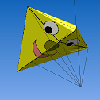 |
Hello
I like to create exact pixelarts for my self coded games.
I use 4-8 special choosen colors to build my graphics from to make them resemble a classic old videogame style.
So i sometimes use the indexed mode to check the used palette of my graphic.
For edition my graphics i only use pencil, color-fill and copy/paste selections.
But in the late time i noticed, that often extra colors appear, thar are just slightly different from one of my choosen colors.
How can this happen?
|
|
|
|
| How to Get a Custom Avatar |
|
Posted by: flauapaua - 12-04-2022, 08:37 AM - Forum: Gimp-Forum.net
- Replies (9)
|
 |
I tried to get one by going to User CP -> Change Avatar, chose a file from my computer i.e. the name of the file appeared beside the browse button. There is no upload button, so I clicked "Change Avatar". Didn't work however? Where did I go wrong?
|
|
|
|
|


![[Image: Dicalb-SP.png]](https://i.postimg.cc/59gpdghV/Dicalb-SP.png)
![[Image: Main.png]](https://i.postimg.cc/HxQZyCvc/Main.png)
![[Image: Dicing-SP.png]](https://i.postimg.cc/Lhd80LB0/Dicing-SP.png)
